
Most software asks you to trust a company. Kinstodian asks you to trust your own device.
Your plan is created and stored on your own device. There's no account, no server copy, and no key on our side — which cuts both ways, and this page says how.
Three facts, not three promises.
It lives on your device.
Your plan is created and stored on your own device, inside your browser. It is not uploaded anywhere as part of normal use. There's no login because there's no account for a login to unlock — nothing on a server is waiting to be reached.
It's encrypted with a key only your device has.
Everything sensitive is encrypted: account numbers, recovery instructions, vault entries, document scans.
The key that does this encryption is created on your device and stays there — it's never transmitted, and in most modern browsers it's held in a form the browser itself won't hand back out, even to Kinstodian's own code. On a small number of older or less common browsers that can't support that, the key falls back to a form that could technically be extracted from the device itself — worth knowing, not worth hiding.
Technical detail
The encryption is AES-256-GCM. Each encrypted value is tied to its exact place in your plan, so it can't be lifted out and made to mean something else somewhere else.
There's no account for anyone to break into.
There is no account, and no server holds your plan, so there is no company database of plans for anyone to break into — the way most people hear about this happening does not apply here. What Kinstodian does hold is listed below: totals, a status line if you chose to share one, and any support note you sent us.
The whole list of what crosses, and what never does.
Kinstodian reports seven moments, so that whoever offered it to you can tell the program is helping people. Each one is a single word leaving your device — never anything you typed. Everything else below leaves only if you send it.
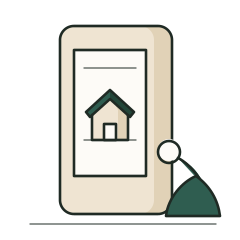
Never leaves your device
Holds the whole plan, the key, and every backup you make.
What is never sent
- Your name, or the name of the person you are doing this for.
- Any bill, amount, or who it is paid to.
- Any account, bank, or the last digits of any number.
- Any email address, phone number, or contact you have put in your plan.
- Any password, note, or document.
- Anything in your plan that could point back to you, this device, or where you are.
Can leave, only in these cases
- Seven anonymous milestonesOne word each — that a plan is in use, that setup was finished, that something is still missing, and four about how far the plan has got. Never anything you typed, and nothing that points back to you or this device.
- An enrollment code, if you enter oneThe code itself, and nothing else. What comes back is the organization's name and colors, so your screen can say who gave it to you.
- A one-line status, only if you choose to share itIf an organization gave you a code, you can let them see a single line about how you're doing. You see the exact line they see, and you can turn it off.
- A support note, only if you write oneThe words you type in a note to Support, with a ticket reference — and nothing else from your plan. If Support asks you for a specific detail to solve it, only what you choose to send back.
- Your email address and which plan you boughtPayment happens on Stripe's page, not ours. Nothing about what you have put in Kinstodian is sent to Stripe, or to us. Stripe gives us your email address and which plan was paid for, only so we can email you your license.
Our servers
Hold totals, and whatever you chose to send. Nothing that can be opened to read a plan.
- Counts — "14 families have finished setting up"
- The status lines families chose to share
- Support notes, with a reference number
There is no switch to turn the milestones off, and we would rather say that plainly than have you hunt for one.
Why you can't turn the milestones off
Counting how many people get through the setup is how an organization knows the program is doing any good — and because the count carries nothing about you, there is nothing here that a choice would protect.
Who is on the other end
There are only two places anything about you can end up: with an organization that gave you a code, and with us, if you write in. Neither can see what is in your plan. What each one can see is narrower than that, and it is different in each case.
If you enrolled through an organization.
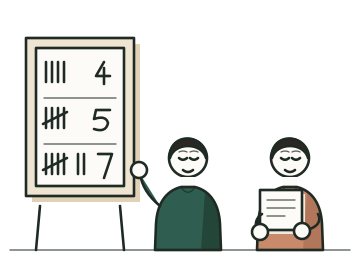
They see totals across everyone they have enrolled — how many codes were used, how many families finished setting up — never your name, your bills, your accounts, or anything in your plan. The one exception is yours to make: if you choose to share your progress with them, they see a short status (on track, just started, might need help) and roughly how recently you opened the app. Nothing more specific than that ever reaches them.
If you write to Kinstodian support.
We see whatever you tell us in your message, plus — only if we ask and you agree — a few coarse facts, like whether your checklist is moving or when you last opened the app. We never see the contents of your plan: not the bills, not the accounts, not the documents.
What's not hidden, stated plainly.
Two honest limits, because a page that only lists what's protected isn't the whole picture.
First: the outline of your plan is not sealed. Someone sitting at your already-unlocked device could see the general shape of what you are tracking — the categories, not the specifics. What sits behind those categories — the numbers, names, passwords, addresses, recovery details, and documents — is encrypted. See exactly what that outline includes
The lock on the device itself is still what keeps that person out — the same as it is for your email.
Second: encryption guards the files, not an open session. It protects your information from someone who gets hold of your files — a stolen drive, a device resold with the disk intact. It does not protect it from someone using your device while it's already unlocked. Nothing can.
We can't open your plan. We can't recover it either.
We can't open it.
There is no copy of your plan on our side and no key that would read one. A request to look inside — from us, from anyone — has nowhere to land.
We can't recover it.
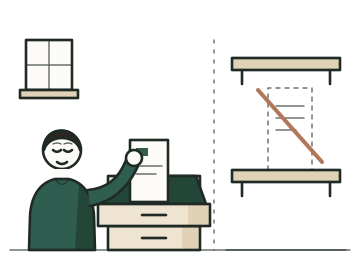
If you lose your device and your recovery code, we can't rescue your plan for you. A company that could rescue your data on request is a company that could read it on request, and Kinstodian is built so that request has nowhere to land.
Those are the same fact from two directions.
Practical questions
Will it work on my phone?
Kinstodian works in any modern browser, on a phone, tablet, or computer — there's no app to install from a store, and nothing to buy a new device for. If your browser is too old to confirm it will actually keep your information safe, Kinstodian tells you so plainly the moment you open it, rather than leaving you to guess your own browser version. Open Account at any time and it says, in plain words, whether this device is keeping your plan the way it should.
If you're referred by an organization
Everything an organization can see is above. If you found Kinstodian on your own, the count is ours alone and works exactly the same way. What an organization sees, from their side
The legal version
This page describes how Kinstodian actually works. The formal version is the Privacy Policy, and the Terms of Service are the agreement you accept by using Kinstodian. Both are published in full.
Questions go to support@kinstodian.com.